Finding the right Yealink distributor is not always straightforward. Many resellers have access to great products, yet still struggle with slow support, limited stock, or lack of guidance. Because of that, even strong opportunities can be harder to close.
That is where the right partnership makes a real difference. When a distributor understands your business, things simply move faster.
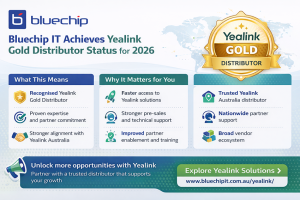
Bluechip IT has now been recognised as a Yealink Gold Distributor for 2026. This milestone reflects consistent performance and a strong commitment to supporting partners across Australia.
More importantly, this recognition is not just about status. It directly impacts how Yealink resellers work, grow, and win. In this article, we’ll walk through what this means and why it matters to your business.

What Yealink Gold Distributor Status Means
Yealink runs a structured partner program that highlights distributors based on performance and contribution. Gold status sits among the top tiers and is awarded to those who consistently deliver results.
In simple terms, a Yealink Gold Distributor has proven expertise, strong alignment with the vendor, and a clear focus on partner success.
This becomes even more relevant as demand continues to rise. According to Gartner, spending on unified communications is expected to keep growing as hybrid work becomes standard.
Because of this shift, resellers need more than just supply. They need reliable support and direction. Gold status signals that a distributor can deliver both, something not all Yealink distributors in Australia can consistently provide.
Why Bluechip IT Was Recognised
This recognition reflects years of consistent work behind the scenes.
Bluechip IT has built a strong network of partners across Australia. Over time, that network has grown through reliable service and practical support.
At the same time, the focus has always gone beyond simple distribution. Partners are supported with guidance, technical input, and real-world insights that help them close deals.
There has also been a steady track record in delivering unified communication solutions. Whether the project is small or complex, partners know they can rely on the team.
Put simply, this recognition comes from doing the fundamentals well, again and again, something expected from a leading Yealink Australia distributor.
What This Means for Resellers and Partners
For partners, this update brings clear and practical advantages.
Stronger Support
You get access to pre-sales and technical expertise when you need it. That means fewer delays and more confidence during the sales process.
Faster Access
Stock availability improves when working with an established Yealink distributor. As a result, you can respond to customer needs without unnecessary wait times.
Better Enablement
Training and guidance are easier to access. This helps you position Yealink Australia solutions more effectively in real conversations.
Want to see how we can support your next project? Explore our Yealink solutions.
More Growth Opportunities
With better support and access, you can take on larger opportunities. Over time, this opens new revenue streams and strengthens your position in the market.
Expanding Opportunities with Yealink Solutions
Workplaces are changing quickly. Hybrid setups are now the norm rather than the exception. Because of this, businesses need reliable communication tools that simply work.
Yealink plays a key role in this space. From meeting room systems to collaboration devices, the solutions are designed for modern work environments.
For resellers, this creates room to expand. You can offer more complete solutions instead of standalone products.
There is also an opportunity to combine communication tools with cybersecurity solutions. Since Bluechip IT offers both, partners can deliver a more complete package to customers.
That combination often leads to stronger deals and longer-term relationships, especially when supported by experienced Yealink distributors in Australia.
Why Partner with Bluechip IT for Yealink
Choosing the right Yealink distributor in Australia can shape how your business grows.
Bluechip IT brings a strong mix of experience, local knowledge, and partner-first support. The team understands what resellers need because they work closely with them every day.
Support is consistent across the board. Whether you need help with positioning, pricing, or delivery, there is always someone to assist.
In addition, partners can experience Yealink solutions firsthand through our UC Experience Centre | Bluechip IT Distribution. These centres are available across key locations in Australia:
- Sydney
- Melbourne
- Brisbane
- Perth
This makes it easier to engage customers, showcase value, and accelerate decision-making.
In addition, the wider vendor ecosystem gives partners more flexibility. You are not limited to a single solution, which makes it easier to meet different customer needs.
Most importantly, the focus stays on long-term growth, not just short-term wins.
👉 Book a demo at our UC Experience Centre

Looking Ahead: 2026 and Beyond
This recognition is just one step in a broader journey.
As the market continues to evolve, demand for unified communications will keep growing. At the same time, expectations around support and delivery will also increase.
Bluechip IT is committed to keeping pace with these changes. That includes expanding Yealink offerings and continuing to invest in partner enablement.
For resellers, this means having a distributor that is ready for what comes next.
Conclusion
Being named a Yealink Gold Distributor for 2026 highlights the strength of the partnership between Bluechip IT and Yealink.
For resellers, the real value comes from what this enables. You gain better support, improved access, and more opportunities to grow your business.
As demand for communication solutions continues to rise, having the right distributor becomes even more important. Bluechip IT is well positioned to support partners across every stage of that journey.
Work with a Trusted Yealink Gold Distributor
Build stronger solutions with the right support behind you.
Get access to expert guidance, faster delivery, and real partner enablement.